After Effects
Has Been
Wasting Your Time.
That Stops Today.
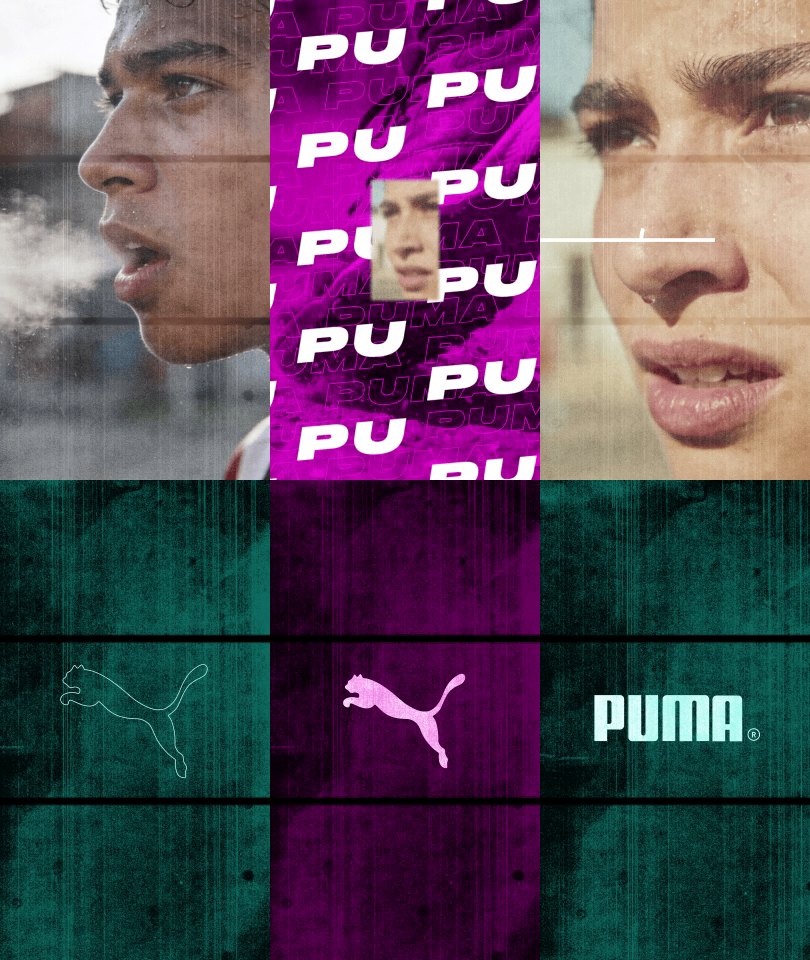
The finished motion graphic you'll build in this crash course
AE Crash Course · $9

Most people spend weeks watching random tutorials and still can’t build a clean composition from scratch. In 60 minutes, C.M. de la Vega — motion designer for ESPN, Amazon Prime Sports, and the NFL — walks you through exactly how After Effects actually works. No fluff. No confusion. Just the real workflow pros use from day one.

Get Instant Access — $9 →
One-time purchase · Instant access · No subscription
60
Minutes of content
17+
Years pro experience
$9
One-time access
★★★★★
“I didn’t know anything about After Effects and followed this course. I found it extremely well structured and perfectly paced as it takes you step by step through the process.”
Serge Rocco
Serge Rocco
Filmmaker
AE Course Student
★★★★★
“So much easier to learn than LinkedIn Learning’s course. C.M. is great. Easy to follow, fun and not too many unnecessary details!”
Michael Addis
Michael Addis
TV Director & Editor
Impractical Jokers
What you’ll learn

The Real Workflow

This isn’t an “intro to intro” video. C.M. shows you how to build a real piece of motion-graphic social media content for a brand — from blank canvas to finished post. You won’t just learn the After Effects tools; you’ll learn the creative process, the strategy, and the professional workflow behind a polished brand piece from start to finish.

01
The UI & Compositions
Project panel, comp window, timeline, effect controls. You’ll know what every panel does and how to build and organize compositions and layers with confidence.
02
Parenting, Keyframing & Transforms
Animate Position, Scale, Rotation & Opacity, parent layers together, and refine your motion in the Graph Editor so nothing looks stiff.
03
Alpha Mattes & Text Animation
Use alpha mattes to reveal and mask, then animate text per-character with the text animator — one of the most powerful tools beginners never touch.
04
Expressions & Pro Effects
A first look at expressions, plus the effects pros lean on every day: Tint, CC RepeTile, Transform, Unmult & Vegas (Outline).
Built step by step

From Blank Comp to Finished Animation

You won’t just watch — you’ll build it. Here’s the project coming together, one step at a time.
Project step 1
Step 01
Project step 2
Step 02
Project step 3
Step 03
Project step 4
Step 04
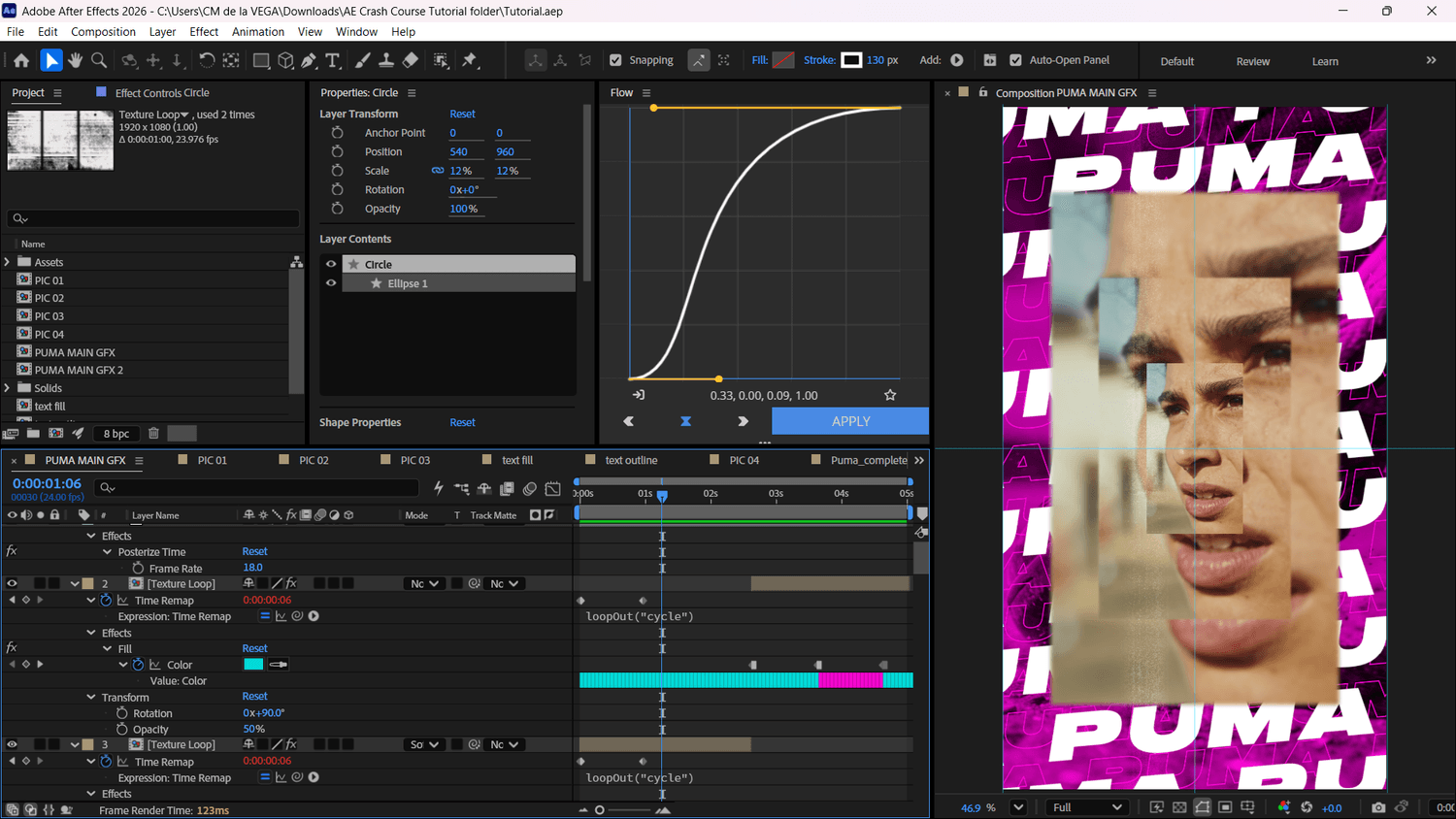
The After Effects project open in the app
The actual After Effects project — yours to download and follow along, layer for layer.
Who this is for

If This Is You

You’ve tried AE before
And kept closing it because nothing made sense. This will change that in one sitting.
You’re coming from Premiere
You know video editing — you just need someone to show you how AE fits into your workflow.
You’re starting from zero
No experience needed. C.M. assumes nothing and skips nothing.
What’s included

Everything You Need

60-minute structured video crash course
A real project, the real workflow, no filler.
Project file & all assets to download
Follow along with the exact files from the course.
After Effects Beginner Shortcuts Bonus
Digital download — the 15 keyboard shortcuts every beginner needs to know to work faster from day one.
Social Export Settings Cheat Sheet Bonus
Digital download — the exact render & size settings for Instagram Reels, TikTok & YouTube Shorts, so every export looks sharp.
Expression Starter Pack Bonus
Digital download — 10 copy-paste expressions (wiggle, loop, bounce & more) to add pro motion in seconds.
Instant, lifetime access
Watch at your own pace and revisit anytime.
Your instructor
C.M. de la Vega
C.M. de la Vega
Motion Designer · 17+ Years Professional Experience
C.M. de la Vega is a motion designer and editor with over a decade of professional sports production experience. His work has appeared in two ESPN 30 for 30 documentaries, six Super Bowls, and six seasons of NFL Network Thursday Night Football. He started his YouTube channel — now home to nearly 150 After Effects tutorials — to share what a career at the highest level of the industry actually taught him. This crash course is how he’d teach a friend to start.
ESPN NFL Network Amazon Prime Sports Discovery History Telemundo 6x Super Bowl ESPN 30 for 30
More from students
★★★★★
“C.M. focuses on building the student’s understanding of motion graphics, while showing them the tools and tricks that can be used in After Effects to speed up their workflow.”
Nate Forer
Nate Forer
Motion Graphics Designer
Lockheed Martin
★★★★★
“I would highly recommend this course to anyone looking for either an introduction to After Effects or a refresher course for established professionals.”
Glen Michel
Glen Michel
Editor
NFL & Amazon Prime Sports
The Foundation
You’ve Been Missing.
60 minutes. $9. Stop starting over every time you open After Effects — get the workflow, get the foundation, and actually move forward.
Get Instant Access — $9 →
One-time purchase · Instant access · No subscription